To find your salon’s quiet season, look at daily customer traffic and revenue trends over several months instead of relying on memory, mark the weeks that dip every year, and plan promotions a few weeks before those weeks arrive. The best off-peak promotions bring back existing customers and fill empty slots, rather than cutting prices for everyone. In MyBMS Pro, the AI business dashboard shows daily customer traffic, revenue trends and target achievement, and the AI dormant customer alert flags customers who have not visited for more than 90 days.
Why guessing your quiet season costs money
Most salon owners know there are busy and quiet periods. The problem is that the feeling is often a little wrong, and a promotion run at the wrong time costs margin without filling the diary.
Common mistakes:
- Promoting when you are already busy. A discount launched in a week that would have been full anyway gives away margin for nothing.
- Starting too late. By the time the owner notices the diary is empty, the quiet weeks are already half over.
- Discounting for everyone. A blanket price cut teaches regular customers to wait for the next sale.
- Ignoring customers who already paid. Customers with unused package sessions are the easiest people to bring in on a quiet day, yet they are often forgotten.
If I could give one tip for the quiet season, it would be to contact customers who still have unused sessions before you think about discounts. They have already paid, and bringing them back fills the diary without cutting your price.
William Tang, Founder, MyBMS Pro
Find your quiet season in four steps
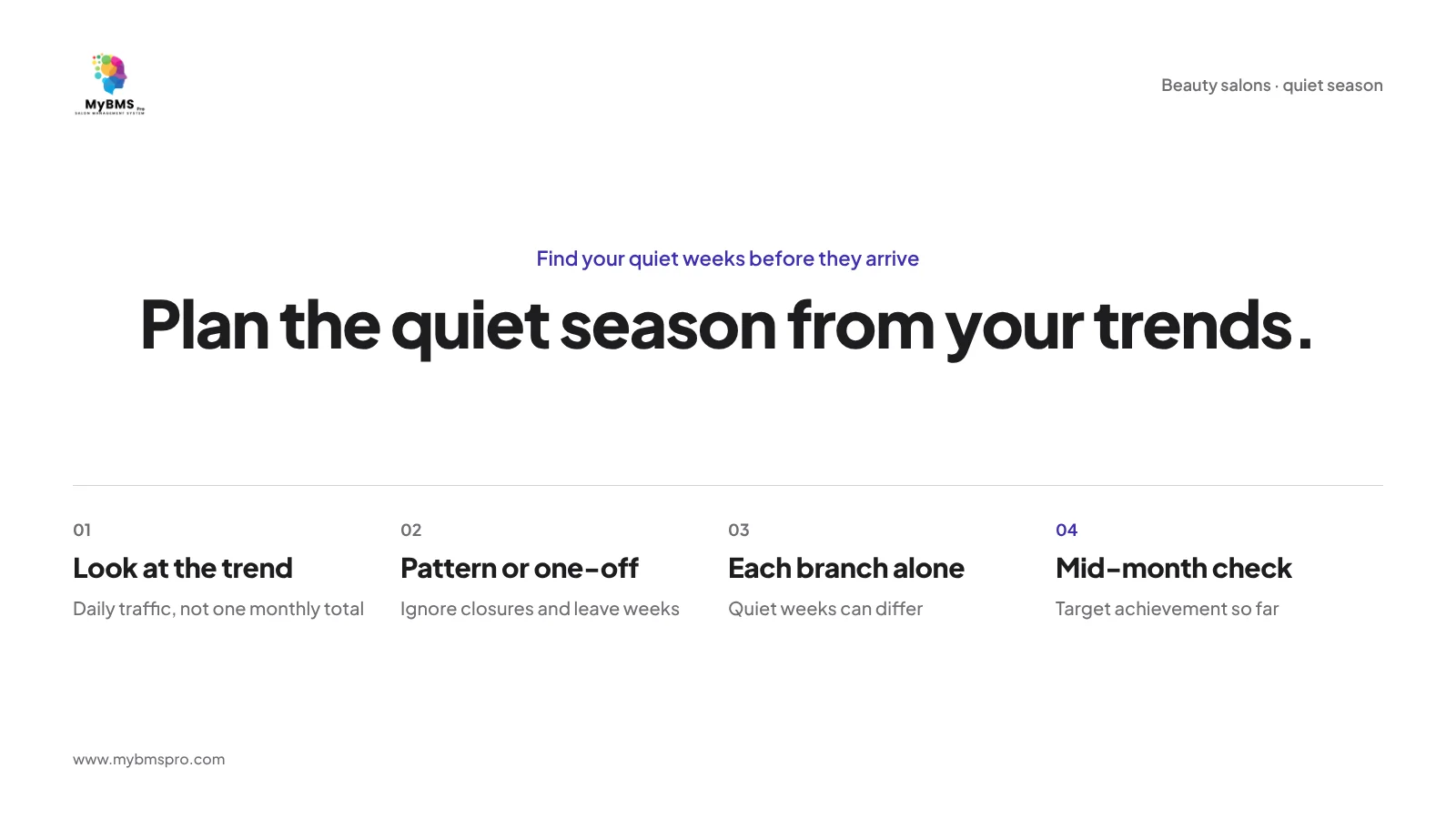
1. Look at the trend, not one month’s total
A monthly total hides the shape of the month. Look at daily customer traffic and the revenue trend over a longer period, so you can see which weeks dip, not just which months were weaker. For the numbers worth checking every day, see salon KPIs to track.
2. Separate a real pattern from a one-off
A dip caused by a closure day, a renovation or several staff on leave is not a season. Mark those weeks so you do not plan promotions around them. A real quiet season shows up again at a similar time.
3. Check each branch on its own
If you run more than one branch, do not assume every branch is quiet at the same time. A branch near offices and a branch in a residential area can follow different patterns, so look at each branch’s traffic and revenue separately.
4. Watch target achievement during the month
Do not wait for month end. If target achievement is falling behind in the middle of the month, you still have time to fill the remaining weeks.
What to promote in quiet weeks (besides discounts)
Quiet weeks are a good time to look after the customers you already have.
- Customers who have stopped coming. Customers who have not visited for more than 90 days are the first list to call. See how to reactivate dormant salon customers.
- Customers with unused package sessions. They have already paid. Inviting them in on a quiet day uses empty slots and reduces the sessions your salon still owes. See salon package tracking.
- Packages sold ahead of the quiet weeks. Selling packages online before a slow period gives customers a reason to book during it.
- Easy booking for empty slots. When customers can book online at any time, a quiet afternoon is easier to fill.
Plan the calendar a few weeks ahead
Treat the quiet season like the busy season: plan it before it arrives.
- Review the trend after each season and mark the weeks that dipped.
- Choose the weeks you want to fill and the branches that need help.
- Choose who to invite: dormant customers, customers with unused sessions, or regulars due for their next visit.
- Choose the offer that suits each group. Not every group needs a discount.
- Tell staff early, so therapists know which customers to invite while they are still in the salon.
- Check the result on the dashboard after the quiet weeks and keep notes for next year.
During busy festive weeks the challenge is the opposite: too many bookings at once. See how to handle peak-season booking conflicts.
An example (illustrative)
A salon owner with two branches looks at her revenue trend and sees that the weeks after a major festive season are quiet at Branch A every year, while Branch B stays steady. Before those weeks arrive, Branch A calls customers who have been flagged as dormant and invites customers with unused package sessions to book. The front desk keeps online booking open for the quiet afternoons. After the season, she checks traffic and revenue again and notes what worked for next year.
How MyBMS Pro helps you plan the quiet season
MyBMS Pro is an AI-driven, next-generation SaaS management hub specifically designed for multi-branch beauty salons. It gives you the information you need to plan quiet weeks; the promotion itself is still your decision.
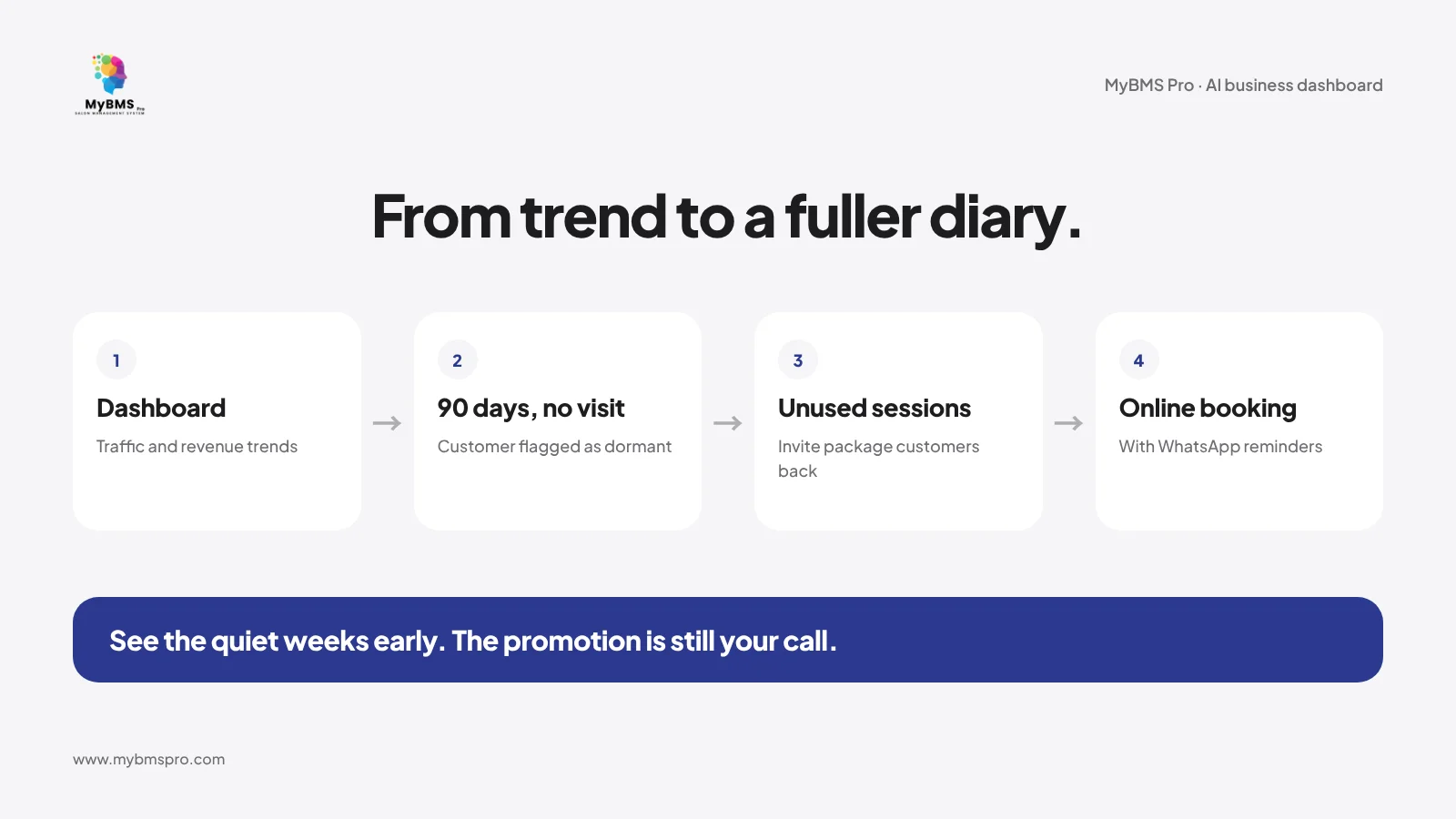
- AI business dashboard. Daily customer traffic, revenue trends, target achievement and outstanding balance details.
- AI dormant customer alert. Customers who have not visited for more than 90 days are flagged as dormant.
- Package tracking. Remaining sessions, redemption history and outstanding balance for every customer’s package.
- Online booking with WhatsApp reminders. Customers book online, and appointment reminders are sent by WhatsApp.
- Online package sales and payment. Sell packages online before the quiet weeks.
- HQ central selling. HQ can arrange bookings for each branch and sell gift vouchers and online-store orders from its own POS.
- Staff status and ranking. See each therapist’s current status, daily customers served and the month’s top three.
MyBMS Pro is a web-based system used in the browser. To see how it fits a beauty salon, visit our beauty salon solutions page.
FAQ
How do I know when my salon’s quiet season is?
Look at daily customer traffic and the revenue trend over several months, and mark the weeks that dip. If the same weeks dip again at a similar time, that is your quiet season.
Should I give discounts during the off-peak season?
Not always. Start with customers who already know you: those who have stopped coming and those with unused package sessions. A blanket discount can teach regular customers to wait for sales.
How early should I plan an off-peak promotion?
Plan it a few weeks before the quiet weeks start, so customers and staff have time to act. If you only react when the diary is already empty, half the quiet season may be gone.
Does MyBMS Pro tell me which promotion to run?
No. MyBMS Pro shows daily traffic, revenue trends, target achievement and dormant customers, so you can see when and where to act. The choice of promotion is yours.
Do I need to download an app to see the dashboard?
No. MyBMS Pro is a web-based system used in the browser; there is no mobile app to download.
Plan your next quiet season with real numbers
Want to see your quiet weeks before they arrive? Book a free demo of MyBMS Pro and see how the dashboard, dormant customer alerts and package tracking work together.
See how MyBMS Pro runs bookings, POS, memberships and staff commission in one system — built for salons, spas, clinics and car grooming businesses in Malaysia.
Written by
William Tang · Founder & CEO, BMS Solution Sdn. Bhd.
William Tang is the founder of BMS Solution Sdn. Bhd., the Malaysian company behind MyBMS Pro. He works hands-on with salons, spas, clinics and car-grooming businesses across Malaysia, helping them move bookings, POS, memberships and staff management onto one cloud platform.